Skip to main content
Canvas: How to Manage Notifications - Knowledgebase / OwlMed and Canvas - FAU College of Medicine Support Center

Canvas: How to Manage Notifications
-
Last updated: Jun 22, 2026 by Samantha Starr
How to Manage Notifications in Canvas
- Log into canvas.fau.edu with your FAU credentials
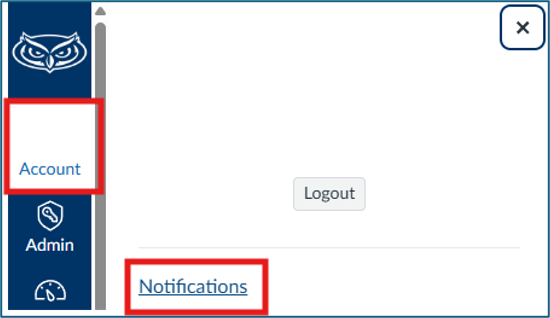
- Select your “Account” then click “Notifications”
- Select the notification bell under Course Activities to manage notifications.
- Notify immediately
- Daily summary – delivered around 6pm
- Weekly summary – delivered Saturday between 1am and 3am
- Notifications off

- Author
- Samantha Starr
- Creation date
- Jun 22, 2026
- Last update
- Jun 22, 2026
- Publish date
- Jun 22, 2026

